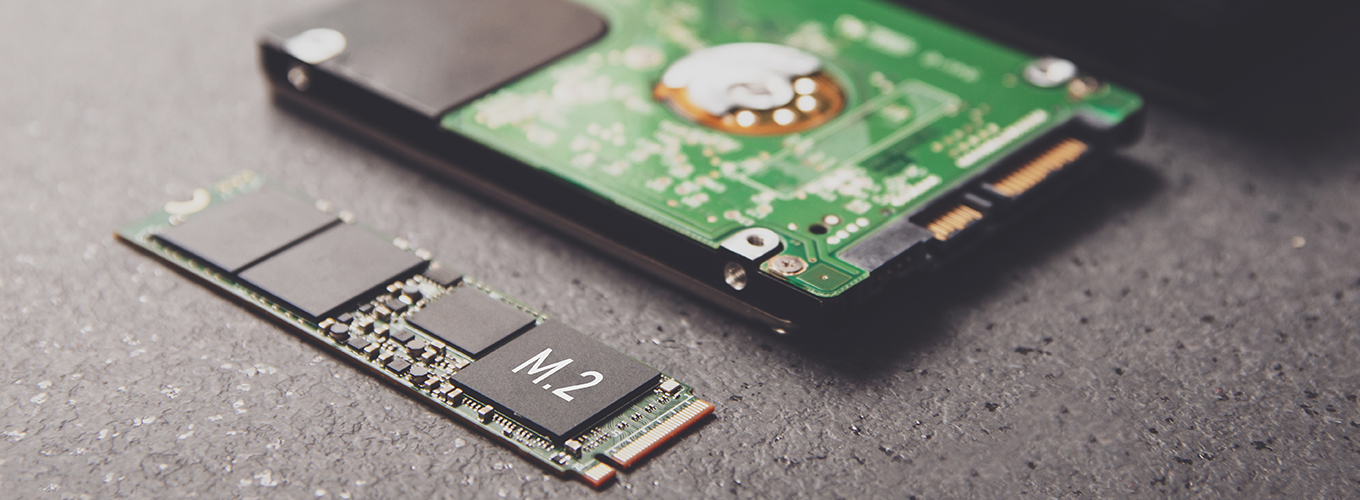
Processor

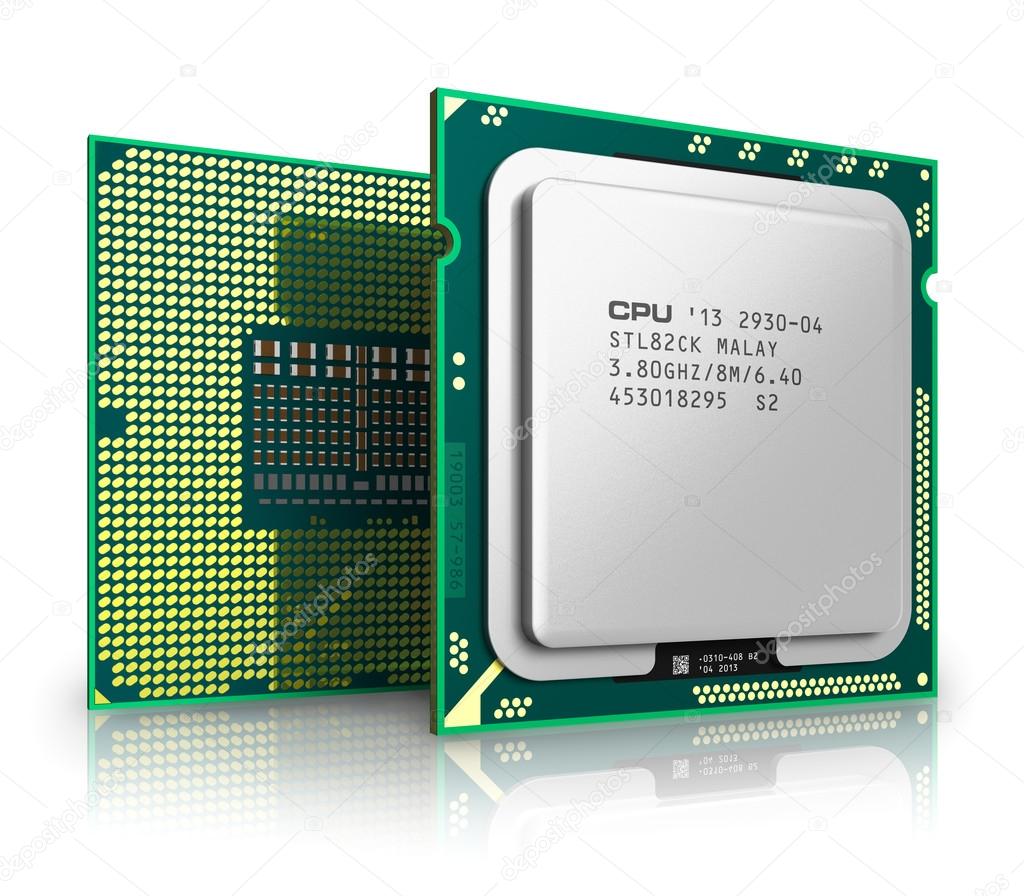
The processor, also known as the CPU, provides the instructions and processing power the computer needs to do its work. The more powerful and updated your processor, the faster your computer can complete its tasks..
There are different types of processors.
1-Microprocessor
The fundamental process of the system is denoted by a microprocessor incorporated in the embedded systems. There are various types of microprocessors in the market implemented by different enterprises. The microprocessor is a standard processor which comprises of ALU, control unit and club of registers known as control registers, status registers, and scratchpad registers.
A one or two microprocessor can be merged together to form a multiprocessor. The input and output operations and memory are shared by the processors. The access time in the memory register is similar for every processor and every processor are associated by bus. The working and access and their input and output functions are mutually shared by the processor to perform the same function.
2-Microcontroller
The microcontroller is standard which is available in different size and packages. The input reading and reacting to its corresponding output is the fundamental function of the basic microcontroller and so it is called as general-purpose input and output processors (GPIO). Few of the microcontrollers are Microchip P1C16F877A, Microchip Atmega328, Microchip P1C18F45K22, Microchip P1C16F671, and Microchip P1C16F1503.
3-Embedded Processor
The embedded processor is structured to control the electrical and mechanical functions. It comprises of numerous blocks like timer, program memory, data memory, reset, power supply, data memory, interrupt controller, clock oscillator systems, interfacing circuits, specific circuits and system application ports and circuits.
4-Digital Signal Processor
The digital signal processor is used for filtering, measuring, compressing analogue and digital signals. The processing of signal means that manipulation and analysis of digital signals. This process can be made using application specified integration circuits, digital signal processor, field-programmable gate array or it can be a computer to achieve a distinct signal. The processors in DSP are used for barcode scanners, oscilloscope, printers, mobile phones. These processors are used for rapid and implied for real-time applications.
Now if you want to know about cpu components please go back and click on cpu components.
cpu components
1-Control unit
2-Arithmetic logic unit
It performs arithmetic and logical operations (decisions). The ALU is where calculations are done and where decisions are made.
It acts as a gateway between primary memory and secondary storage . Data transferred between them passes through the ALU.
3-Registers
Registers are small amounts of high-speed memory contained within the CPU. They are used by the processor to store small amounts of data that are needed during processing, such as:
1. The address of the next instruction to be executed.
2. The current instruction being decoded.
3. The results of calculations.
4-Cache
Cache is a small amount of high-speed random access memory (RAM) built directly within the processor. It is used to temporarily hold data and instructions that the processor is likely to reuse. This allows for faster processing as the processor does not have to wait for the data and instructions to be fetched from the RAM.
5-Buses
A bus is a high-speed internal connection. Buses are used to send control signals and data between the processor and other components.
Three types of bus of are:
(a) Address bus - carries memory addresses from the processor to other components such as primary memory and input/output devices.
(b) Data bus - carries the actual data between the processor and other components.
(c) Control bus - carries control signals from the processor to other components. The control bus also carries the clock's pulses.
6-Clock
The CPU contains a clock which is used to coordinate all of the computer's components. The clock sends out a regular electrical pulse which synchronises (keeps in time) all the components.
The frequency of the pulses is known as the clock speed. Clock speed is measured in hertz. The higher the frequency, the more instructions can be performed in any given moment of time.
In the 1980s, processors commonly ran at a rate of between 3 megahertz (MHz) to 5 MHz, which is 3 million to 5 million pulses or cycles per second. Today, processors commonly run at a rate of 3 gigahertz (GHz) to 5 GHz, which is 3 billion to 5 billion pulses or cycles per second.
Gpu

GPU stands for graphics processing unit. You'll also see GPUs commonly referred to as graphics cards or video cards. Every PC uses a GPU to render images, video and 2D or 3D animations for display. A GPU performs quick math calculations and frees up the CPU to do other things.Some examples of gpu that used are-
GTX 1650
GTX 1660
RTX 2050
RTX 2060
RTX 2070
RTX 2080
RTX 3050
RTX 3060
RTX 3070
RTX 3080
AND MANY MORE
Ram

RAM stands for random-access memory, but what does that mean? Your computer RAM is essentially short term memory where data is stored as the processor needs it. This isn't to be confused with long-term data that's stored on your hard drive, which stays there even when your computer is turned off.
RAM contains multiplexing and demultiplexing circuitry, to connect the data lines to the addressed storage for reading or writing the entry. Usually more than one bit of storage is accessed by the same address, and RAM devices often have multiple data lines and are said to be "8-bit" or "16-bit", etc. devices.
In today's technology, random-access memory takes the form of integrated circuit (IC) chips with MOS (metal-oxide-semiconductor) memory cells. RAM is normally associated with volatile types of memory (such as dynamic random-access memory (DRAM) modules), where stored information is lost if power is removed, although non-volatile RAM has also been developed.[3] Other types of non-volatile memories exist that allow random access for read operations, but either do not allow write operations or have other kinds of limitations on them. These include most types of ROM and a type of flash memory called NOR-Flash.
The two main types of volatile random-access semiconductor memory are static random-access memory (SRAM) and dynamic random-access memory (DRAM).
SRAM (static RAM) is a type of random access memory (RAM) that retains data bits in its memory as long as power is being supplied.
SRAM is commonly used for a computer's cache memory, such as a processor's L2 or L3 cache. It is not used for a computer's main memory because of its cost and size. Most computers use DRAM instead because it supports greater densities at a lower cost per megabyte (MB). However, SRAM is often used for other general-purpose.
DRAM stands for “dynamic random access memory,” and it's a specific type of RAM (random access memory). All computers have RAM, and DRAM is one kind of RAM we see in modern desktops and laptops. DRAM was invented in 1968 by Robert Dennard and put to market by Intel® in the '70s .
Motherboard

The motherboard serves as a single platform to connect all of the parts of a computer together. It connects the CPU, memory, hard drives, optical drives, video card, sound card, and other ports and expansion cards directly or via cables. It can be considered as the backbone of a computer.
Some features of motherboard are :
MOTHERBOARD is very essential thing to make a complete pc set up because your processor,ram,ssd/hard disk have insert in it .
A better motherboards allows heavy processors to use it full power to do heavy or very task.
Psu
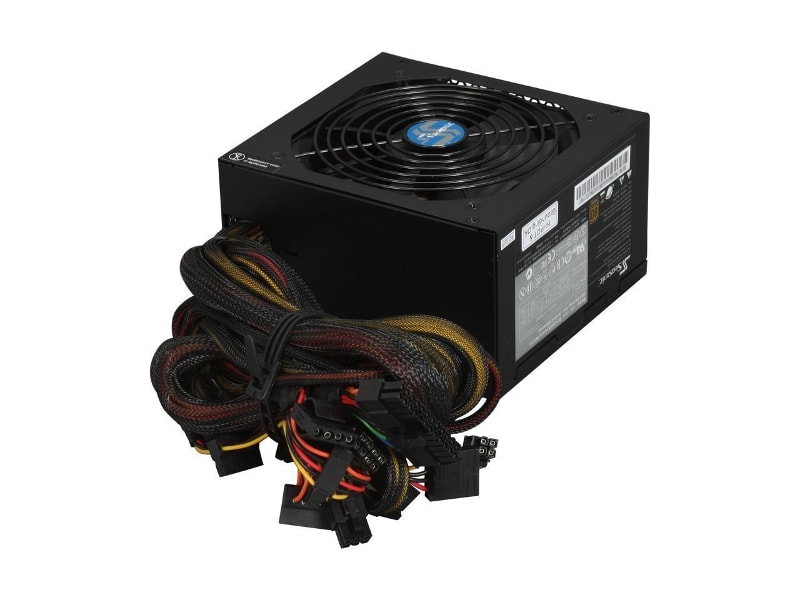
PSU(power supply unit) is a hardware component of a computer that supplies all other components with power. The power supply converts a 110-115 or 220-230 volt AC (alternating current) into a steady low-voltage DC (direct current) usable by the computer and rated by the number of watts it generates. The image shows an Antec True 330, a 330 Watt power supply.
It can be of 300watt,500watt,600watt you have to take according to your other pc components.
Contact
Elements
Text
This is bold and this is strong. This is italic and this is emphasized.
This is superscript text and this is subscript text.
This is underlined and this is code: for (;;) { ... }. Finally, this is a link.
Heading Level 2
Heading Level 3
Heading Level 4
Heading Level 5
Heading Level 6
Blockquote
Fringilla nisl. Donec accumsan interdum nisi, quis tincidunt felis sagittis eget tempus euismod. Vestibulum ante ipsum primis in faucibus vestibulum. Blandit adipiscing eu felis iaculis volutpat ac adipiscing accumsan faucibus. Vestibulum ante ipsum primis in faucibus lorem ipsum dolor sit amet nullam adipiscing eu felis.
Preformatted
i = 0;

while (!deck.isInOrder()) {
    print 'Iteration ' + i;
    deck.shuffle();
    i++;
}

print 'It took ' + i + ' iterations to sort the deck.';
Lists
Unordered
- Dolor pulvinar etiam.
- Sagittis adipiscing.
- Felis enim feugiat.
Alternate
- Dolor pulvinar etiam.
- Sagittis adipiscing.
- Felis enim feugiat.
Ordered
- Dolor pulvinar etiam.
- Etiam vel felis viverra.
- Felis enim feugiat.
- Dolor pulvinar etiam.
- Etiam vel felis lorem.
- Felis enim et feugiat.
Icons
Actions
Table
Default
| Name |
Description |
Price |
| Item One |
Ante turpis integer aliquet porttitor. |
29.99 |
| Item Two |
Vis ac commodo adipiscing arcu aliquet. |
19.99 |
| Item Three |
Morbi faucibus arcu accumsan lorem. |
29.99 |
| Item Four |
Vitae integer tempus condimentum. |
19.99 |
| Item Five |
Ante turpis integer aliquet porttitor. |
29.99 |
|
100.00 |
Alternate
| Name |
Description |
Price |
| Item One |
Ante turpis integer aliquet porttitor. |
29.99 |
| Item Two |
Vis ac commodo adipiscing arcu aliquet. |
19.99 |
| Item Three |
Morbi faucibus arcu accumsan lorem. |
29.99 |
| Item Four |
Vitae integer tempus condimentum. |
19.99 |
| Item Five |
Ante turpis integer aliquet porttitor. |
29.99 |
|
100.00 |